Sales Territory Mapping

Sales Territory Mapping Software

Sales Territory Mapping Software

Sales Territory Mapping Software

Sales territory mapping software helps teams balance workloads, reduce travel, and protect accounts with accuracy and speed. Population Explorer uses updated population, POIs, and income layers to create fair territories that improve performance. Export ZIP codes or shapefiles for CRM integration and grow sales efficiently with smarter territory mapping.

Sales territory mapping software helps teams balance workloads, reduce travel, and protect accounts with accuracy and speed. Population Explorer uses updated population, POIs, and income layers to create fair territories that improve performance. Export ZIP codes or shapefiles for CRM integration and grow sales efficiently with smarter territory mapping.

Sales territory mapping software helps teams balance workloads, reduce travel, and protect accounts with accuracy and speed. Population Explorer uses updated population, POIs, and income layers to create fair territories that improve performance. Export ZIP codes or shapefiles for CRM integration and grow sales efficiently with smarter territory mapping.

Optimize Sales Territories

Why Sales Territory Mapping Matters

Why Sales Territory Mapping Matters

Sales territory mapping aligns coverage with opportunity so reps have fair, attainable books. Use drive-time isochrones, ZIP or metro splits, and up-to-date population and POI data to reduce travel, avoid overlap, and improve quota attainment then export clean territory files for your CRM.
Easily find customer hotspots

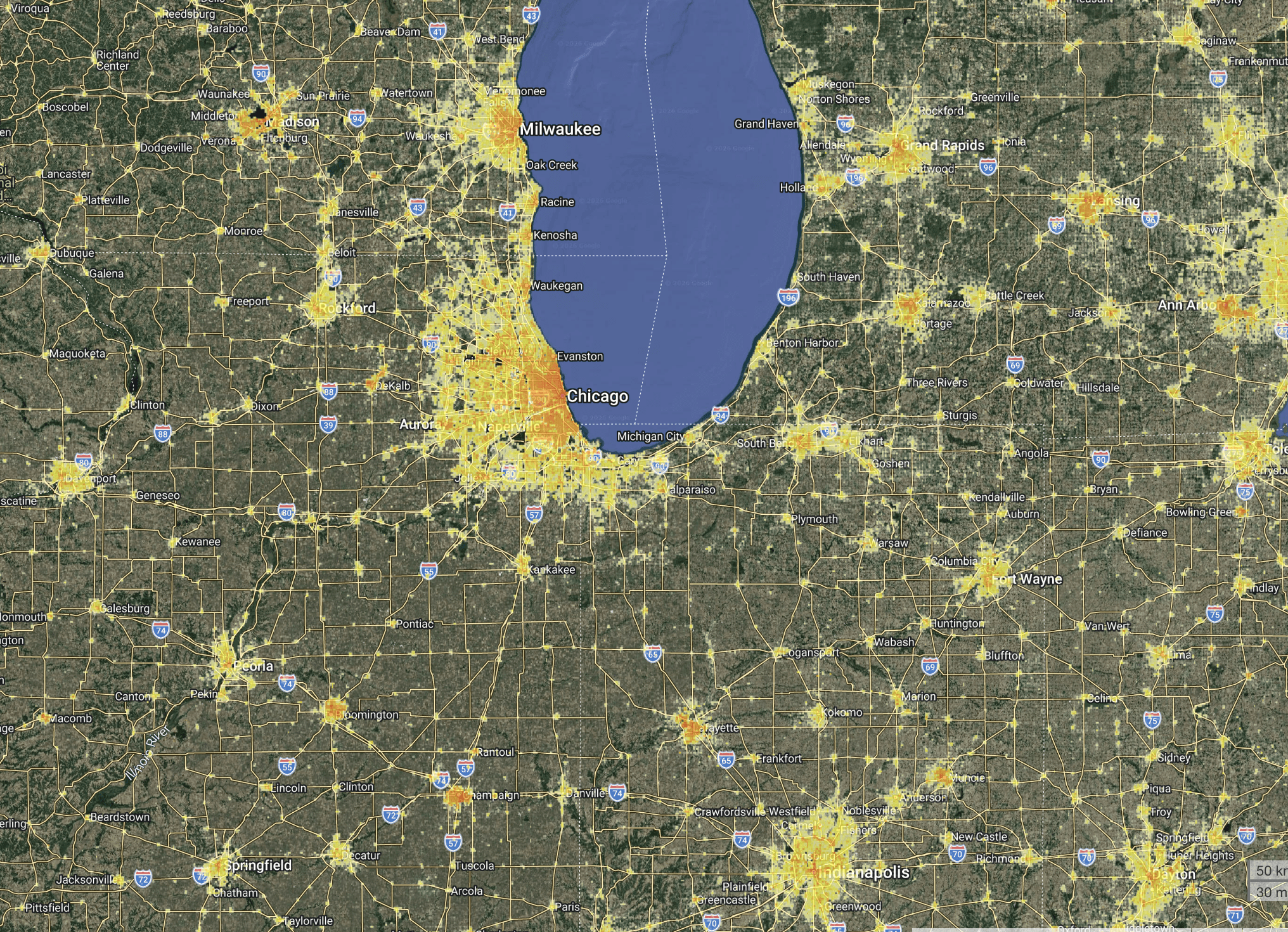
Create precise sales territory maps in a few clicks. Spot where demand is highest with updated population, household income, and business density data. Target high-value areas and keep coverage fair. Use population heatmaps to identify ideal pockets of population density to balance out sales territories, and integrate your CRM data to round out your field strategy.

Easily find customer hotspots

Create precise sales territory maps in a few clicks. Spot where demand is highest with updated population, household income, and business density data. Target high-value areas and keep coverage fair. Use population heatmaps to identify ideal pockets of population density to balance out sales territories, and integrate your CRM data to round out your field strategy.

Easily find customer hotspots

Create precise sales territory maps in a few clicks. Spot where demand is highest with updated population, household income, and business density data. Target high-value areas and keep coverage fair. Use population heatmaps to identify ideal pockets of population density to balance out sales territories, and integrate your CRM data to round out your field strategy.

Create new sales territories in minutes

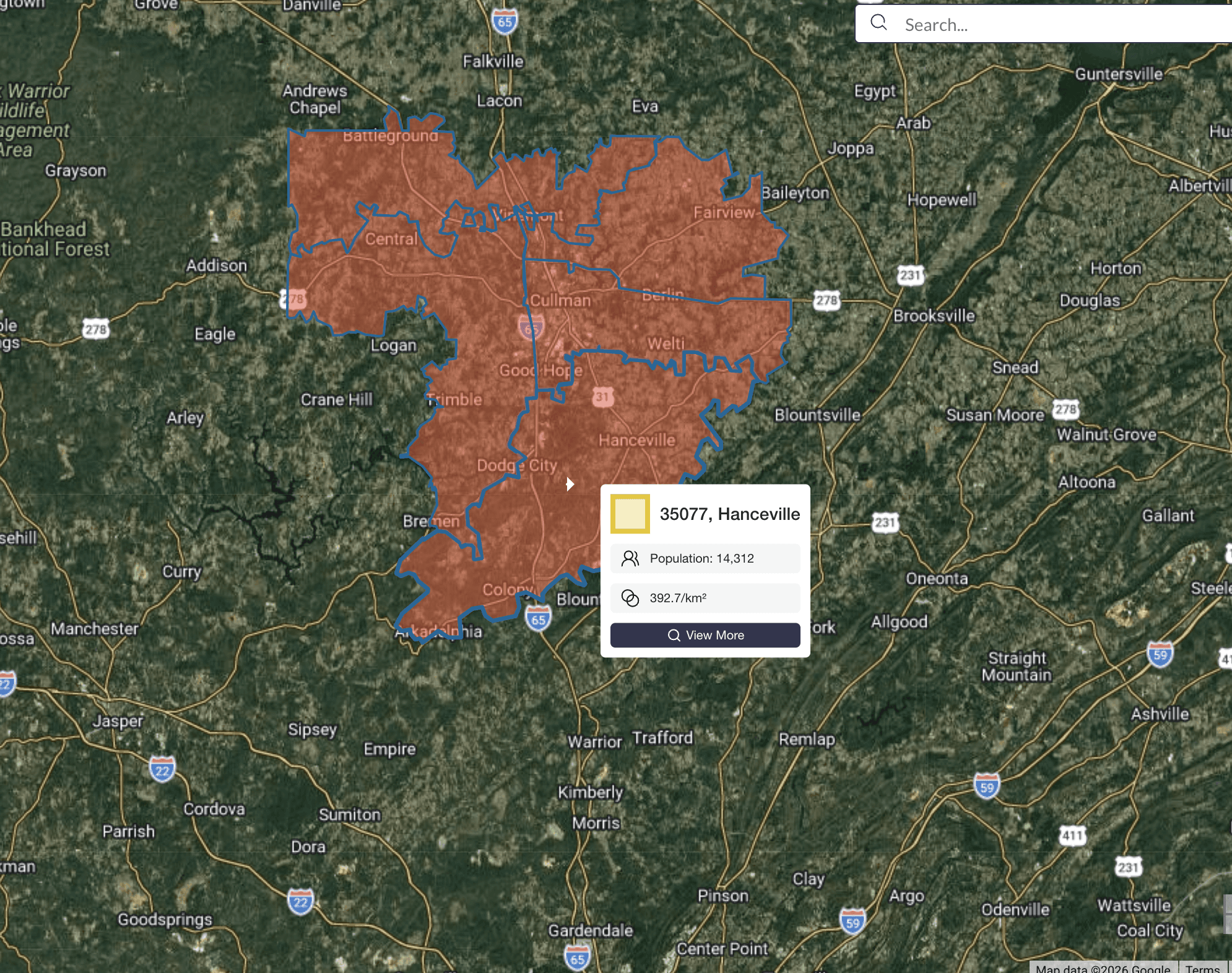
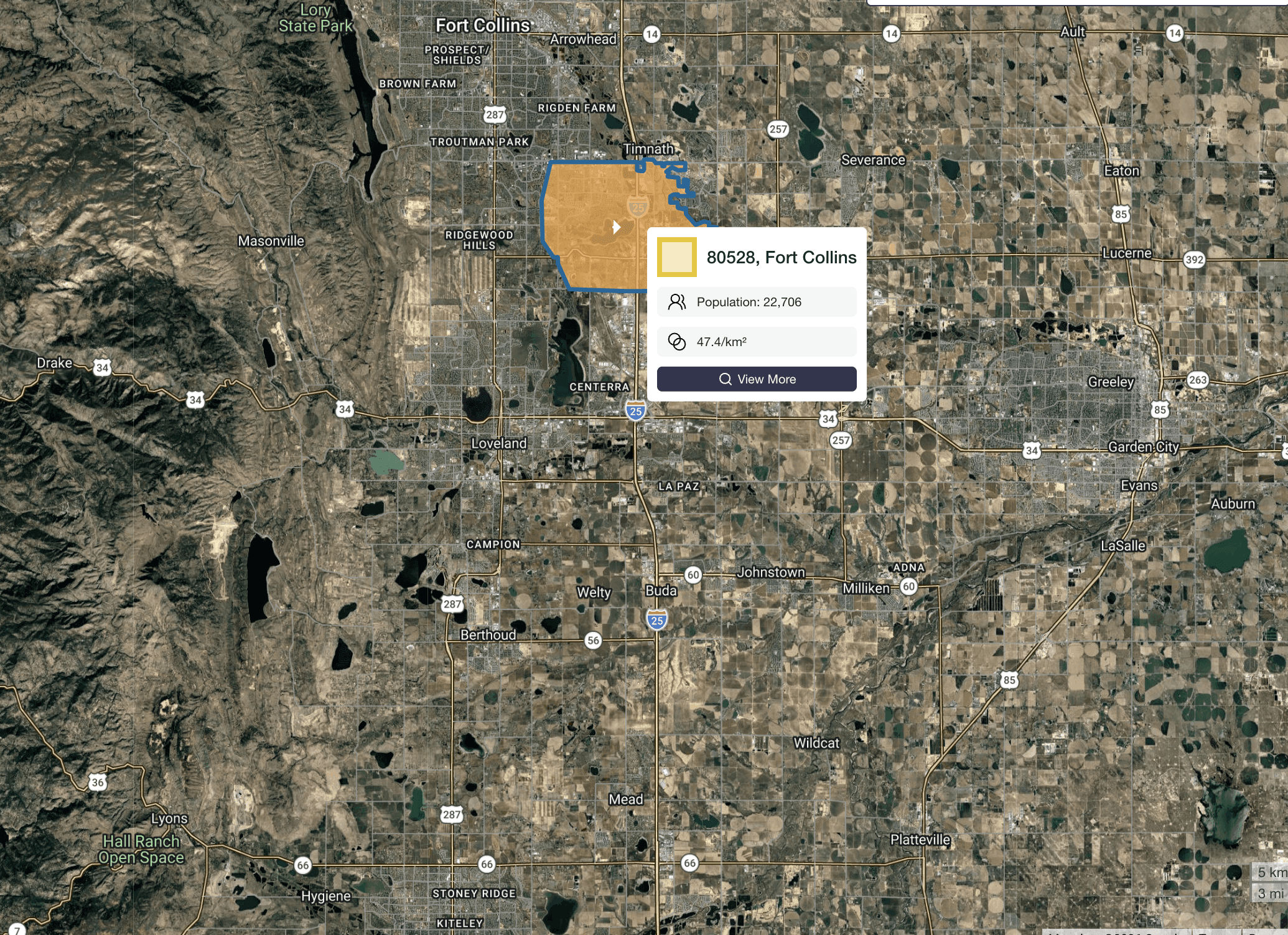
Draw or import boundaries from your existing sales territory maps, see high resolution population, income data and Google POIs instantly, and balance territories and workloads across your team. No GIS training, no consultants, just results.

Create new sales territories in minutes

Draw or import boundaries from your existing sales territory maps, see high resolution population, income data and Google POIs instantly, and balance territories and workloads across your team. No GIS training, no consultants, just results.

Create new sales territories in minutes

Draw or import boundaries from your existing sales territory maps, see high resolution population, income data and Google POIs instantly, and balance territories and workloads across your team. No GIS training, no consultants, just results.

Competitor/Ally Search

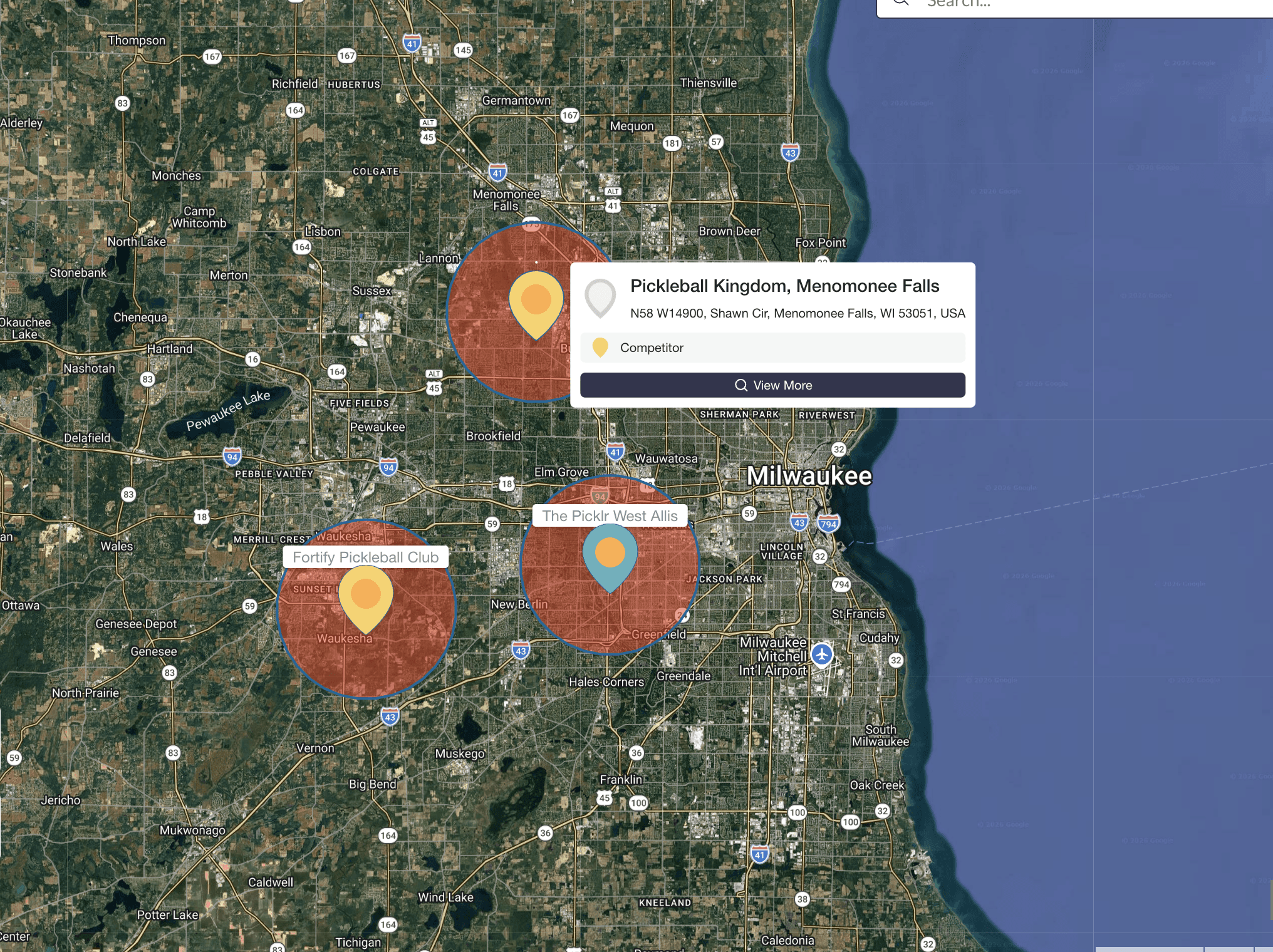
Layer in Google POIs and income data to see not just where prospects live, but where they buy, spend, and interact with competitors. Create precision territory maps using high-accuracy, user friendly datasets.

Competitor/Ally Search

Layer in Google POIs and income data to see not just where prospects live, but where they buy, spend, and interact with competitors. Create precision territory maps using high-accuracy, user friendly datasets.

Competitor/Ally Search

Layer in Google POIs and income data to see not just where prospects live, but where they buy, spend, and interact with competitors. Create precision territory maps using high-accuracy, user friendly datasets.

Last updated

Nov 11, 2025

Population Explorer

What Our Users Are Saying

What Our Users Are Saying

What Our Users Are Saying

Frequently Asked Use Cases

Frequently Asked Use Cases

Frequently Asked Use Cases

How sales territory mapping works in practice

Effective sales territory mapping ensures coverage, balanced workloads, and quota achievement. Inside sales teams, field reps, and channel partners all require clear, balanced, data‐driven territories to minimize overlap and maximize opportunity. Population Explorer enables managers to design balanced sales territories informed by accurate demographics, income, and account distribution.

  1. Define coverage areas — Draw polygons or use isochrones to model realistic drive times for reps.

  2. Layer population and business data — Apply LandScan and WorldPop to assess potential customer bases within your territory maps. Add Google Places POIs to identify business hubs, offices, and industrial clusters.

  3. Balance workload — Compare sales territories by population, income, or account count to allocate quotas fairly.

  4. Export outputs — Generate shapefiles, territory lists, and reports for CRM import, contracts, and performance tracking.

Sales territory managers use these tools to reduce travel inefficiencies, align resources with market potential, and improve rep satisfaction. For onboarding, see Start Here.

Scenario: A regional sales team uses isochrones to map 45‐minute drive times around rep home bases. By comparing suburban vs urban workloads, managers see suburban reps cover fewer accounts but larger deal sizes, while urban reps handle dense pipelines with shorter travel times. PopEx exports document both scenarios for fair quota planning.

"Well-defined territories boost customer satisfaction, optimize sales team performance, and drive organizational growth." - Factor.ai

FAQs for sales territory managers

How do I assign balanced quotas by territory?
Compare demographic, income and competitor density data to align opportunity with quota expectations, ensuring fairness and balance across the entire sales territory map. Accurate demographic data is one of the top factors in designing balanced territories (read more here).

How do I minimize overlap between reps?
Use isochrones and buffers to draw clear boundaries, preventing multiple reps from targeting the same accounts. If you have already developed sales territory maps in an external platform, import these shapes into PopEx to get precise population, drive-time data to ensure a balanced workload among reps.

Can I integrate CRM data to check account coverage?
Yes. Import account lists and markers. See associated articles on Importing CRM Accounts and Working with Marker Files, and browse this article for strategies on leveraging CRM + demographic data in your territory management workflows.

How do I support multi‐region scaling?
PopEx uses global LandScan and WorldPop datasets, enabling consistent territory planning across countries and regions.

What if I want to adjust quotas mid‐year?
Sales territory maps can be redrawn - either for individual sales territories or an entire regional sales map - and exports updated quickly, keeping CRM and contracts aligned.

Can I forecast travel times for field reps?
Yes. Isochrones simulate drive times, and show underlying population density (and POI density) helping optimize sales rep routes and scheduling, while also serving as a baseline for your quotas per rep.

How do I evaluate suburban vs urban accounts?
Overlay your sales territory map with demographics and POIs to balance suburban drive‐time coverage with urban density opportunities.

How current is the data compared with census?
Census data collection happens every 10 years. PopEx datasets update every single year, with forecasts so that your sales territory map can position optimal opportunities both now and into the future.

How do I manage territory changes after acquisitions?
PopEx allows quick redraws and exports so sales ops can integrate new teams and accounts with minimal disruption.

Can I track performance by territory?
Yes. Export shapefiles or ZIP lists into CRM dashboards to monitor pipeline, revenue, and quota attainment at the territory level.

How do I forecast growth in new markets?
PopEx includes forecasted population data: layer population growth projections with POIs for business expansion to highlight emerging opportunities.

What if multiple reps need to collaborate in one region?
Regional sales territories can be subdivided by account type or geography, ensuring collaboration without overlap or disputes.

Why census data distorts sales territory planning

Census tables often fail to capture new business parks, mixed‐use districts, or shifts in suburban growth. Relying on static counts can leave some reps with sparse accounts and others overwhelmed.

Population Explorer refreshes LandScan and WorldPop annually, integrating Google Places POIs for offices and business hubs. This provides your sales territory maps with the most accurate, updated datasets to assign and assess quotas across your sales team.

Read more about common mistakes in sales territory planning and how to avoid them.

Benefits of a self‐serve sales territory mapping workflow

Consultant-drawn sales territory maps and ad hoc spreadsheets are rarely flexible. A self‐serve workflow gives sales ops and managers the ability to adapt territories dynamically.

  • Agility — Adjust as accounts grow or shift.

  • Cost control — Reduce consulting fees.

  • Accuracy — Territories reflect refreshed LandScan, WorldPop, and Google Places data.

  • Transparency — Defensible quotas improve rep trust and compliance.

Clear territory definitions accelerate rep onboarding and improve quota attainment. Already use a CRM? Learn how CRMs and territory planning toolsets complement each other.

Comparing approaches to sales territory mapping

Sales leaders often start with simple spreadsheets or outsourced studies to design sales territory maps, but both approaches have limits in dynamic markets.

  • Census spreadsheets — Low cost but outdated; weak for quota planning.

  • Consultant reports — Provide depth but are static and costly to refresh.

  • Niche tools — May lack global coverage or integration with CRM systems.

Population Explorer integrates LandScan, WorldPop, and Google Places data in one workflow, giving you the flexibility to assess, adjust and update sales team quotas based on current, accurate datasets.

Unlike reports or PDFs, PopEx allows you to keep your territory map dynamic and flexible. This is particularly useful for a sales team scaling up or down, targeting new sales territories in new markets, or reacting to underlying market conditions (e.g., new POIs, competitors and the like).

This approach has been tried and tested across multiple industries, from franchising to telecom infrastructure.

How sales territory mapping works in practice

Effective sales territory mapping ensures coverage, balanced workloads, and quota achievement. Inside sales teams, field reps, and channel partners all require clear, balanced, data‐driven territories to minimize overlap and maximize opportunity. Population Explorer enables managers to design balanced sales territories informed by accurate demographics, income, and account distribution.

  1. Define coverage areas — Draw polygons or use isochrones to model realistic drive times for reps.

  2. Layer population and business data — Apply LandScan and WorldPop to assess potential customer bases within your territory maps. Add Google Places POIs to identify business hubs, offices, and industrial clusters.

  3. Balance workload — Compare sales territories by population, income, or account count to allocate quotas fairly.

  4. Export outputs — Generate shapefiles, territory lists, and reports for CRM import, contracts, and performance tracking.

Sales territory managers use these tools to reduce travel inefficiencies, align resources with market potential, and improve rep satisfaction. For onboarding, see Start Here.

Scenario: A regional sales team uses isochrones to map 45‐minute drive times around rep home bases. By comparing suburban vs urban workloads, managers see suburban reps cover fewer accounts but larger deal sizes, while urban reps handle dense pipelines with shorter travel times. PopEx exports document both scenarios for fair quota planning.

"Well-defined territories boost customer satisfaction, optimize sales team performance, and drive organizational growth." - Factor.ai

FAQs for sales territory managers

How do I assign balanced quotas by territory?
Compare demographic, income and competitor density data to align opportunity with quota expectations, ensuring fairness and balance across the entire sales territory map. Accurate demographic data is one of the top factors in designing balanced territories (read more here).

How do I minimize overlap between reps?
Use isochrones and buffers to draw clear boundaries, preventing multiple reps from targeting the same accounts. If you have already developed sales territory maps in an external platform, import these shapes into PopEx to get precise population, drive-time data to ensure a balanced workload among reps.

Can I integrate CRM data to check account coverage?
Yes. Import account lists and markers. See associated articles on Importing CRM Accounts and Working with Marker Files, and browse this article for strategies on leveraging CRM + demographic data in your territory management workflows.

How do I support multi‐region scaling?
PopEx uses global LandScan and WorldPop datasets, enabling consistent territory planning across countries and regions.

What if I want to adjust quotas mid‐year?
Sales territory maps can be redrawn - either for individual sales territories or an entire regional sales map - and exports updated quickly, keeping CRM and contracts aligned.

Can I forecast travel times for field reps?
Yes. Isochrones simulate drive times, and show underlying population density (and POI density) helping optimize sales rep routes and scheduling, while also serving as a baseline for your quotas per rep.

How do I evaluate suburban vs urban accounts?
Overlay your sales territory map with demographics and POIs to balance suburban drive‐time coverage with urban density opportunities.

How current is the data compared with census?
Census data collection happens every 10 years. PopEx datasets update every single year, with forecasts so that your sales territory map can position optimal opportunities both now and into the future.

How do I manage territory changes after acquisitions?
PopEx allows quick redraws and exports so sales ops can integrate new teams and accounts with minimal disruption.

Can I track performance by territory?
Yes. Export shapefiles or ZIP lists into CRM dashboards to monitor pipeline, revenue, and quota attainment at the territory level.

How do I forecast growth in new markets?
PopEx includes forecasted population data: layer population growth projections with POIs for business expansion to highlight emerging opportunities.

What if multiple reps need to collaborate in one region?
Regional sales territories can be subdivided by account type or geography, ensuring collaboration without overlap or disputes.

Why census data distorts sales territory planning

Census tables often fail to capture new business parks, mixed‐use districts, or shifts in suburban growth. Relying on static counts can leave some reps with sparse accounts and others overwhelmed.

Population Explorer refreshes LandScan and WorldPop annually, integrating Google Places POIs for offices and business hubs. This provides your sales territory maps with the most accurate, updated datasets to assign and assess quotas across your sales team.

Read more about common mistakes in sales territory planning and how to avoid them.

Benefits of a self‐serve sales territory mapping workflow

Consultant-drawn sales territory maps and ad hoc spreadsheets are rarely flexible. A self‐serve workflow gives sales ops and managers the ability to adapt territories dynamically.

  • Agility — Adjust as accounts grow or shift.

  • Cost control — Reduce consulting fees.

  • Accuracy — Territories reflect refreshed LandScan, WorldPop, and Google Places data.

  • Transparency — Defensible quotas improve rep trust and compliance.

Clear territory definitions accelerate rep onboarding and improve quota attainment. Already use a CRM? Learn how CRMs and territory planning toolsets complement each other.

Comparing approaches to sales territory mapping

Sales leaders often start with simple spreadsheets or outsourced studies to design sales territory maps, but both approaches have limits in dynamic markets.

  • Census spreadsheets — Low cost but outdated; weak for quota planning.

  • Consultant reports — Provide depth but are static and costly to refresh.

  • Niche tools — May lack global coverage or integration with CRM systems.

Population Explorer integrates LandScan, WorldPop, and Google Places data in one workflow, giving you the flexibility to assess, adjust and update sales team quotas based on current, accurate datasets.

Unlike reports or PDFs, PopEx allows you to keep your territory map dynamic and flexible. This is particularly useful for a sales team scaling up or down, targeting new sales territories in new markets, or reacting to underlying market conditions (e.g., new POIs, competitors and the like).

This approach has been tried and tested across multiple industries, from franchising to telecom infrastructure.

How sales territory mapping works in practice

Effective sales territory mapping ensures coverage, balanced workloads, and quota achievement. Inside sales teams, field reps, and channel partners all require clear, balanced, data‐driven territories to minimize overlap and maximize opportunity. Population Explorer enables managers to design balanced sales territories informed by accurate demographics, income, and account distribution.

  1. Define coverage areas — Draw polygons or use isochrones to model realistic drive times for reps.

  2. Layer population and business data — Apply LandScan and WorldPop to assess potential customer bases within your territory maps. Add Google Places POIs to identify business hubs, offices, and industrial clusters.

  3. Balance workload — Compare sales territories by population, income, or account count to allocate quotas fairly.

  4. Export outputs — Generate shapefiles, territory lists, and reports for CRM import, contracts, and performance tracking.

Sales territory managers use these tools to reduce travel inefficiencies, align resources with market potential, and improve rep satisfaction. For onboarding, see Start Here.

Scenario: A regional sales team uses isochrones to map 45‐minute drive times around rep home bases. By comparing suburban vs urban workloads, managers see suburban reps cover fewer accounts but larger deal sizes, while urban reps handle dense pipelines with shorter travel times. PopEx exports document both scenarios for fair quota planning.

"Well-defined territories boost customer satisfaction, optimize sales team performance, and drive organizational growth." - Factor.ai

FAQs for sales territory managers

How do I assign balanced quotas by territory?
Compare demographic, income and competitor density data to align opportunity with quota expectations, ensuring fairness and balance across the entire sales territory map. Accurate demographic data is one of the top factors in designing balanced territories (read more here).

How do I minimize overlap between reps?
Use isochrones and buffers to draw clear boundaries, preventing multiple reps from targeting the same accounts. If you have already developed sales territory maps in an external platform, import these shapes into PopEx to get precise population, drive-time data to ensure a balanced workload among reps.

Can I integrate CRM data to check account coverage?
Yes. Import account lists and markers. See associated articles on Importing CRM Accounts and Working with Marker Files, and browse this article for strategies on leveraging CRM + demographic data in your territory management workflows.

How do I support multi‐region scaling?
PopEx uses global LandScan and WorldPop datasets, enabling consistent territory planning across countries and regions.

What if I want to adjust quotas mid‐year?
Sales territory maps can be redrawn - either for individual sales territories or an entire regional sales map - and exports updated quickly, keeping CRM and contracts aligned.

Can I forecast travel times for field reps?
Yes. Isochrones simulate drive times, and show underlying population density (and POI density) helping optimize sales rep routes and scheduling, while also serving as a baseline for your quotas per rep.

How do I evaluate suburban vs urban accounts?
Overlay your sales territory map with demographics and POIs to balance suburban drive‐time coverage with urban density opportunities.

How current is the data compared with census?
Census data collection happens every 10 years. PopEx datasets update every single year, with forecasts so that your sales territory map can position optimal opportunities both now and into the future.

How do I manage territory changes after acquisitions?
PopEx allows quick redraws and exports so sales ops can integrate new teams and accounts with minimal disruption.

Can I track performance by territory?
Yes. Export shapefiles or ZIP lists into CRM dashboards to monitor pipeline, revenue, and quota attainment at the territory level.

How do I forecast growth in new markets?
PopEx includes forecasted population data: layer population growth projections with POIs for business expansion to highlight emerging opportunities.

What if multiple reps need to collaborate in one region?
Regional sales territories can be subdivided by account type or geography, ensuring collaboration without overlap or disputes.

Why census data distorts sales territory planning

Census tables often fail to capture new business parks, mixed‐use districts, or shifts in suburban growth. Relying on static counts can leave some reps with sparse accounts and others overwhelmed.

Population Explorer refreshes LandScan and WorldPop annually, integrating Google Places POIs for offices and business hubs. This provides your sales territory maps with the most accurate, updated datasets to assign and assess quotas across your sales team.

Read more about common mistakes in sales territory planning and how to avoid them.

Benefits of a self‐serve sales territory mapping workflow

Consultant-drawn sales territory maps and ad hoc spreadsheets are rarely flexible. A self‐serve workflow gives sales ops and managers the ability to adapt territories dynamically.

  • Agility — Adjust as accounts grow or shift.

  • Cost control — Reduce consulting fees.

  • Accuracy — Territories reflect refreshed LandScan, WorldPop, and Google Places data.

  • Transparency — Defensible quotas improve rep trust and compliance.

Clear territory definitions accelerate rep onboarding and improve quota attainment. Already use a CRM? Learn how CRMs and territory planning toolsets complement each other.

Comparing approaches to sales territory mapping

Sales leaders often start with simple spreadsheets or outsourced studies to design sales territory maps, but both approaches have limits in dynamic markets.

  • Census spreadsheets — Low cost but outdated; weak for quota planning.

  • Consultant reports — Provide depth but are static and costly to refresh.

  • Niche tools — May lack global coverage or integration with CRM systems.

Population Explorer integrates LandScan, WorldPop, and Google Places data in one workflow, giving you the flexibility to assess, adjust and update sales team quotas based on current, accurate datasets.

Unlike reports or PDFs, PopEx allows you to keep your territory map dynamic and flexible. This is particularly useful for a sales team scaling up or down, targeting new sales territories in new markets, or reacting to underlying market conditions (e.g., new POIs, competitors and the like).

This approach has been tried and tested across multiple industries, from franchising to telecom infrastructure.

© 2025 Population Explorer. All rights reserved.

Legal Notice

Terms Corporate

Privacy

I'm a candidate

© 2025 Population Explorer. All rights reserved.

Legal Notice

Terms Corporate

Privacy

I'm a candidate

© 2025 Population Explorer. All rights reserved.

Legal Notice

Terms Corporate

Privacy

I'm a candidate