UAV Flight-Path Mapping Software

UAV Flight-Path Mapping Software

UAV Flight-Path Mapping Software

UAV Flight-Path Mapping Software

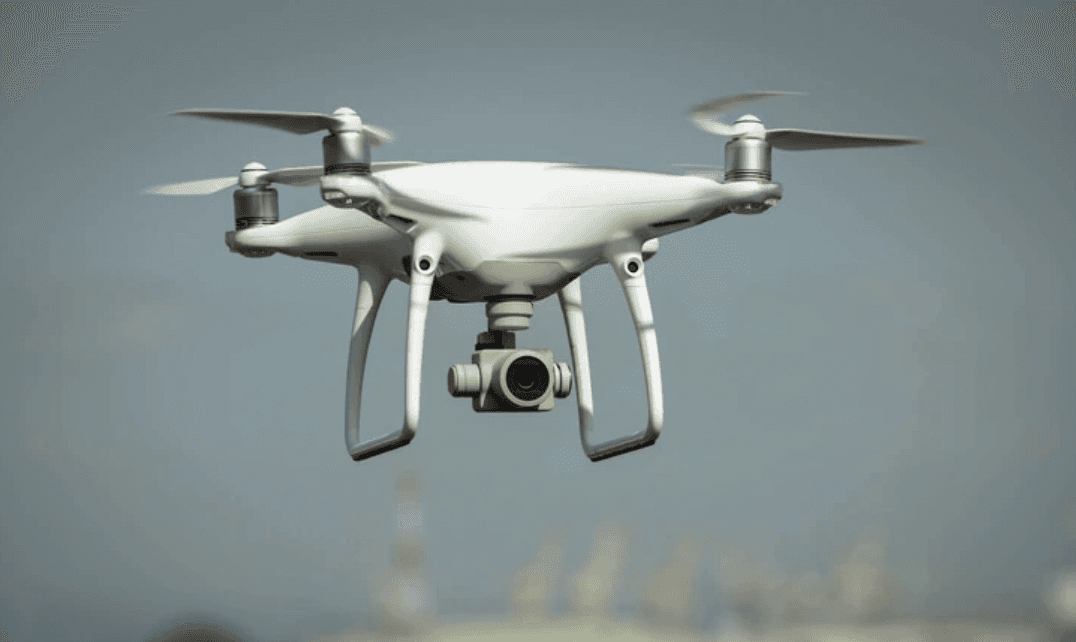
UAV flight-path mapping software helps operators design safer drone corridors by quantifying population exposure and identifying sensitive POIs. With Population Explorer, you can buffer planned routes, compare alternatives, and export audit-ready shapefiles and reports. Smarter corridor planning reduces risk, accelerates approvals, and supports reliable UAV operations at scale.

UAV flight-path mapping software helps operators design safer drone corridors by quantifying population exposure and identifying sensitive POIs. With Population Explorer, you can buffer planned routes, compare alternatives, and export audit-ready shapefiles and reports. Smarter corridor planning reduces risk, accelerates approvals, and supports reliable UAV operations at scale.

UAV flight-path mapping software helps operators design safer drone corridors by quantifying population exposure and identifying sensitive POIs. With Population Explorer, you can buffer planned routes, compare alternatives, and export audit-ready shapefiles and reports. Smarter corridor planning reduces risk, accelerates approvals, and supports reliable UAV operations at scale.

Precision GIS Software

Why drone flight-path mapping matters

Why drone flight-path mapping matters

UAV flight-path mapping enables operators to design safe, compliant flight corridors. By quantifying population exposure along flight paths, organizations can reduce risk, meet regulatory standards, and plan efficient drone operations with confidence.

Population Exposure Along Routes

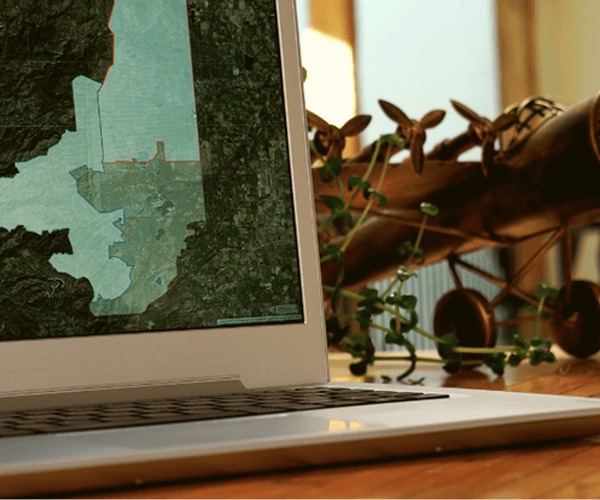
Buffer planned routes or polygons and instantly quantify how many people fall within the risk corridor, by segment, by total, or by scenario. Generate high-resolution reports to speed flight-path approval.

Population Exposure Along Routes

Buffer planned routes or polygons and instantly quantify how many people fall within the risk corridor, by segment, by total, or by scenario. Generate high-resolution reports to speed flight-path approval.

Population Exposure Along Routes

Buffer planned routes or polygons and instantly quantify how many people fall within the risk corridor, by segment, by total, or by scenario. Generate high-resolution reports to speed flight-path approval.

Sensitive POIs & No-Go Areas

Overlay schools, hospitals, airports, and other critical POIs in your flight-path plan. Flag proximity conflicts and highlight sections that require reroute or additional mitigation.

Sensitive POIs & No-Go Areas

Overlay schools, hospitals, airports, and other critical POIs in your flight-path plan. Flag proximity conflicts and highlight sections that require reroute or additional mitigation.

Sensitive POIs & No-Go Areas

Overlay schools, hospitals, airports, and other critical POIs in your flight-path plan. Flag proximity conflicts and highlight sections that require reroute or additional mitigation.

Export-Ready Reports & Shapefiles

Produce corridor shapefiles, ZIP lists, and Excel exports for operational flight-path approvals, audits, and stakeholder communication, no GIS team required.

Save time

Export-Ready Reports & Shapefiles

Produce corridor shapefiles, ZIP lists, and Excel exports for operational flight-path approvals, audits, and stakeholder communication, no GIS team required.

Save time

Export-Ready Reports & Shapefiles

Produce corridor shapefiles, ZIP lists, and Excel exports for operational flight-path approvals, audits, and stakeholder communication, no GIS team required.

Save time

Last updated

Nov 8, 2025

Population Explorer

What Our Users Are Saying

What Our Users Are Saying

What Our Users Are Saying

Frequently Asked Use Cases

Frequently Asked Use Cases

Frequently Asked Use Cases

How UAV flight-path mapping works in practice

Unmanned Aerial Vehicle (UAV) operators need reliable planning tools to design safe and efficient missions. Flight-path mapping must balance safety, regulatory requirements, and operational efficiency. Population Explorer supports these workflows with robust data and simple exports.

  1. Define candidate corridors - Import polygons, draw custom shapes, or use isochrones to evaluate travel-time coverage from launch sites.

  2. Layer demand and restrictions - Apply LandScan and WorldPop demographics to assess urban vs rural exposure. Overlay Google Places POIs to mark sensitive areas like schools, hospitals, and airports in your flight-path plan.

  3. Evaluate mission scenarios - Compare proposed flight paths for coverage, safety buffers, and evaluate population risk zones.

  4. Export outputs - Generate shapefiles, reports, and CSVs formatted for regulators, boards, or clients.

Beyond simple routing, UAV flight-path planning involves population safety, payload type, and compliance with airspace rules. Read more about the extensive compliance requirements governing UAV; see also MDPI resources on the same.

FAQs every UAV operator asks

How do I estimate exposure for UAV operations?
Combine LandScan and WorldPop data with household income layers to estimate potential exposure in both urban and rural zones.

How do I define safety buffers around sensitive sites?
Overlay Google Places POIs to mark schools, hospitals, airports, and government facilities, then build buffers around them. Aggregate results to generate a summary of flight-path risks in your submission.

How do I comply with regulatory requirements?
Exports from PopEx - shapefiles, ZIP lists, and formatted reports - can be submitted alongside the proposed flight-path in regulatory filings

Can I model beyond visual line of sight (BVLOS) flights?
Yes. Import corridors and use isochrones to evaluate travel-time coverage and incorporate custom polygons representing restricted zones to illustrate flight-path compliance.

How do I import fleet or marker data?
Upload CSVs of drones, crews, or locations.

Is PopEx useful internationally?
Yes. LandScan and WorldPop provide global baselines, supporting planning in both mature and emerging markets. Multi-country UAV operators and flight-path planners can rely on PopEx to standardize flight-path mapping risk across multiple countries.

How current is the data compared to census?
Census data may lag 5-10 years. PopEx refreshes annually with projections. This offers the most current data available to quantify flight-path risk and expedite approval processes.

Does terrain factor into flight-path mapping?
Terrain data can be integrated with PopEx outputs to refine UAV flight corridors and mission feasibility.

Can I export results for regulators or boards?
Yes. See Import & Export for supported formats.

Can I evaluate delivery corridors for UAV logistics?
Yes. Use Isochrone Maps and polygon tools to model UAV delivery corridors along highways or dense residential areas, and overlay demand to prioritize service zones.

How do I account for UAV battery endurance?
Overlay isochrones with known battery flight ranges to visualize maximum coverage per charge, and compare with demand clusters.

What about weather and environmental conditions?
While PopEx does not model weather directly, operators can align demographic and POI layers with external weather datasets to identify UAV flight-path corridors most affected by conditions.

Can PopEx support cross-border UAV operations?
Yes. With global LandScan and WorldPop coverage, teams can evaluate international corridors consistently, though regulatory compliance must be addressed locally.

Why census data distorts UAV planning

Census tables often miss rapid urbanization, suburban growth, or new restricted areas like airports. For UAV operators, this can result in unsafe or inefficient flight-path assumptions. Read more about the relationship between population density and flight-path safety assessments.

Population Explorer addresses this by refreshing LandScan and WorldPop annually and integrating Google Places POIs for sensitive sites. See Census vs LandScan vs WorldPop.

Benefits of a self-serve UAV planning workflow

Consultant reports can be slow and quickly outdated. A self-serve workflow allows flight operations, safety officers, and compliance teams to collaborate directly to quantify flight-path risks and expedite approvals.

  • Agility - Test multiple mission scenarios quickly.

  • Cost control - Reduce reliance on expensive third-party consultants.

  • Accuracy - Plans reflect refreshed LandScan, WorldPop, and Google Places data.

  • Transparency - Provide regulators and boards with reproducible evidence.

Comparing approaches to UAV flight-path mapping

Different approaches offer trade-offs in cost, timeliness, and defensibility:

  • Census spreadsheets - Low cost but outdated and weak for regulatory approval.

  • Consultant studies - Professional, but static and expensive to refresh.

  • Niche UAV tools - Often focus narrowly on airframes or RF modeling, with limited demographic context. PopEx allows you to see clear demographic and structural correlations with proposed UAV flight-paths, allowing you to quantify risk and expedite approvals.

Population Explorer integrates LandScan, WorldPop, and Google Places in one workflow. UAV teams can run "what-if" scenarios: What if delivery corridors follow highways? What if inspection paths need larger safety buffers? Exports can be embedded directly into compliance submissions or board decks. These differential diagnostics are very similar to those used by retail site selectors and franchise territory managers: model various configurations of infrastructure against population density to maximize returns (and minimize risk).

Example: A UAV operator comparing last-mile delivery routes vs. infrastructure inspection can quantify both. Delivery corridors following highways show potential demand density, while inspection paths emphasize proximity to substations and pipelines. PopEx exports demonstrate the trade-offs, helping boards and regulators weigh investment priorities.

How UAV flight-path mapping works in practice

Unmanned Aerial Vehicle (UAV) operators need reliable planning tools to design safe and efficient missions. Flight-path mapping must balance safety, regulatory requirements, and operational efficiency. Population Explorer supports these workflows with robust data and simple exports.

  1. Define candidate corridors - Import polygons, draw custom shapes, or use isochrones to evaluate travel-time coverage from launch sites.

  2. Layer demand and restrictions - Apply LandScan and WorldPop demographics to assess urban vs rural exposure. Overlay Google Places POIs to mark sensitive areas like schools, hospitals, and airports in your flight-path plan.

  3. Evaluate mission scenarios - Compare proposed flight paths for coverage, safety buffers, and evaluate population risk zones.

  4. Export outputs - Generate shapefiles, reports, and CSVs formatted for regulators, boards, or clients.

Beyond simple routing, UAV flight-path planning involves population safety, payload type, and compliance with airspace rules. Read more about the extensive compliance requirements governing UAV; see also MDPI resources on the same.

FAQs every UAV operator asks

How do I estimate exposure for UAV operations?
Combine LandScan and WorldPop data with household income layers to estimate potential exposure in both urban and rural zones.

How do I define safety buffers around sensitive sites?
Overlay Google Places POIs to mark schools, hospitals, airports, and government facilities, then build buffers around them. Aggregate results to generate a summary of flight-path risks in your submission.

How do I comply with regulatory requirements?
Exports from PopEx - shapefiles, ZIP lists, and formatted reports - can be submitted alongside the proposed flight-path in regulatory filings

Can I model beyond visual line of sight (BVLOS) flights?
Yes. Import corridors and use isochrones to evaluate travel-time coverage and incorporate custom polygons representing restricted zones to illustrate flight-path compliance.

How do I import fleet or marker data?
Upload CSVs of drones, crews, or locations.

Is PopEx useful internationally?
Yes. LandScan and WorldPop provide global baselines, supporting planning in both mature and emerging markets. Multi-country UAV operators and flight-path planners can rely on PopEx to standardize flight-path mapping risk across multiple countries.

How current is the data compared to census?
Census data may lag 5-10 years. PopEx refreshes annually with projections. This offers the most current data available to quantify flight-path risk and expedite approval processes.

Does terrain factor into flight-path mapping?
Terrain data can be integrated with PopEx outputs to refine UAV flight corridors and mission feasibility.

Can I export results for regulators or boards?
Yes. See Import & Export for supported formats.

Can I evaluate delivery corridors for UAV logistics?
Yes. Use Isochrone Maps and polygon tools to model UAV delivery corridors along highways or dense residential areas, and overlay demand to prioritize service zones.

How do I account for UAV battery endurance?
Overlay isochrones with known battery flight ranges to visualize maximum coverage per charge, and compare with demand clusters.

What about weather and environmental conditions?
While PopEx does not model weather directly, operators can align demographic and POI layers with external weather datasets to identify UAV flight-path corridors most affected by conditions.

Can PopEx support cross-border UAV operations?
Yes. With global LandScan and WorldPop coverage, teams can evaluate international corridors consistently, though regulatory compliance must be addressed locally.

Why census data distorts UAV planning

Census tables often miss rapid urbanization, suburban growth, or new restricted areas like airports. For UAV operators, this can result in unsafe or inefficient flight-path assumptions. Read more about the relationship between population density and flight-path safety assessments.

Population Explorer addresses this by refreshing LandScan and WorldPop annually and integrating Google Places POIs for sensitive sites. See Census vs LandScan vs WorldPop.

Benefits of a self-serve UAV planning workflow

Consultant reports can be slow and quickly outdated. A self-serve workflow allows flight operations, safety officers, and compliance teams to collaborate directly to quantify flight-path risks and expedite approvals.

  • Agility - Test multiple mission scenarios quickly.

  • Cost control - Reduce reliance on expensive third-party consultants.

  • Accuracy - Plans reflect refreshed LandScan, WorldPop, and Google Places data.

  • Transparency - Provide regulators and boards with reproducible evidence.

Comparing approaches to UAV flight-path mapping

Different approaches offer trade-offs in cost, timeliness, and defensibility:

  • Census spreadsheets - Low cost but outdated and weak for regulatory approval.

  • Consultant studies - Professional, but static and expensive to refresh.

  • Niche UAV tools - Often focus narrowly on airframes or RF modeling, with limited demographic context. PopEx allows you to see clear demographic and structural correlations with proposed UAV flight-paths, allowing you to quantify risk and expedite approvals.

Population Explorer integrates LandScan, WorldPop, and Google Places in one workflow. UAV teams can run "what-if" scenarios: What if delivery corridors follow highways? What if inspection paths need larger safety buffers? Exports can be embedded directly into compliance submissions or board decks. These differential diagnostics are very similar to those used by retail site selectors and franchise territory managers: model various configurations of infrastructure against population density to maximize returns (and minimize risk).

Example: A UAV operator comparing last-mile delivery routes vs. infrastructure inspection can quantify both. Delivery corridors following highways show potential demand density, while inspection paths emphasize proximity to substations and pipelines. PopEx exports demonstrate the trade-offs, helping boards and regulators weigh investment priorities.

How UAV flight-path mapping works in practice

Unmanned Aerial Vehicle (UAV) operators need reliable planning tools to design safe and efficient missions. Flight-path mapping must balance safety, regulatory requirements, and operational efficiency. Population Explorer supports these workflows with robust data and simple exports.

  1. Define candidate corridors - Import polygons, draw custom shapes, or use isochrones to evaluate travel-time coverage from launch sites.

  2. Layer demand and restrictions - Apply LandScan and WorldPop demographics to assess urban vs rural exposure. Overlay Google Places POIs to mark sensitive areas like schools, hospitals, and airports in your flight-path plan.

  3. Evaluate mission scenarios - Compare proposed flight paths for coverage, safety buffers, and evaluate population risk zones.

  4. Export outputs - Generate shapefiles, reports, and CSVs formatted for regulators, boards, or clients.

Beyond simple routing, UAV flight-path planning involves population safety, payload type, and compliance with airspace rules. Read more about the extensive compliance requirements governing UAV; see also MDPI resources on the same.

FAQs every UAV operator asks

How do I estimate exposure for UAV operations?
Combine LandScan and WorldPop data with household income layers to estimate potential exposure in both urban and rural zones.

How do I define safety buffers around sensitive sites?
Overlay Google Places POIs to mark schools, hospitals, airports, and government facilities, then build buffers around them. Aggregate results to generate a summary of flight-path risks in your submission.

How do I comply with regulatory requirements?
Exports from PopEx - shapefiles, ZIP lists, and formatted reports - can be submitted alongside the proposed flight-path in regulatory filings

Can I model beyond visual line of sight (BVLOS) flights?
Yes. Import corridors and use isochrones to evaluate travel-time coverage and incorporate custom polygons representing restricted zones to illustrate flight-path compliance.

How do I import fleet or marker data?
Upload CSVs of drones, crews, or locations.

Is PopEx useful internationally?
Yes. LandScan and WorldPop provide global baselines, supporting planning in both mature and emerging markets. Multi-country UAV operators and flight-path planners can rely on PopEx to standardize flight-path mapping risk across multiple countries.

How current is the data compared to census?
Census data may lag 5-10 years. PopEx refreshes annually with projections. This offers the most current data available to quantify flight-path risk and expedite approval processes.

Does terrain factor into flight-path mapping?
Terrain data can be integrated with PopEx outputs to refine UAV flight corridors and mission feasibility.

Can I export results for regulators or boards?
Yes. See Import & Export for supported formats.

Can I evaluate delivery corridors for UAV logistics?
Yes. Use Isochrone Maps and polygon tools to model UAV delivery corridors along highways or dense residential areas, and overlay demand to prioritize service zones.

How do I account for UAV battery endurance?
Overlay isochrones with known battery flight ranges to visualize maximum coverage per charge, and compare with demand clusters.

What about weather and environmental conditions?
While PopEx does not model weather directly, operators can align demographic and POI layers with external weather datasets to identify UAV flight-path corridors most affected by conditions.

Can PopEx support cross-border UAV operations?
Yes. With global LandScan and WorldPop coverage, teams can evaluate international corridors consistently, though regulatory compliance must be addressed locally.

Why census data distorts UAV planning

Census tables often miss rapid urbanization, suburban growth, or new restricted areas like airports. For UAV operators, this can result in unsafe or inefficient flight-path assumptions. Read more about the relationship between population density and flight-path safety assessments.

Population Explorer addresses this by refreshing LandScan and WorldPop annually and integrating Google Places POIs for sensitive sites. See Census vs LandScan vs WorldPop.

Benefits of a self-serve UAV planning workflow

Consultant reports can be slow and quickly outdated. A self-serve workflow allows flight operations, safety officers, and compliance teams to collaborate directly to quantify flight-path risks and expedite approvals.

  • Agility - Test multiple mission scenarios quickly.

  • Cost control - Reduce reliance on expensive third-party consultants.

  • Accuracy - Plans reflect refreshed LandScan, WorldPop, and Google Places data.

  • Transparency - Provide regulators and boards with reproducible evidence.

Comparing approaches to UAV flight-path mapping

Different approaches offer trade-offs in cost, timeliness, and defensibility:

  • Census spreadsheets - Low cost but outdated and weak for regulatory approval.

  • Consultant studies - Professional, but static and expensive to refresh.

  • Niche UAV tools - Often focus narrowly on airframes or RF modeling, with limited demographic context. PopEx allows you to see clear demographic and structural correlations with proposed UAV flight-paths, allowing you to quantify risk and expedite approvals.

Population Explorer integrates LandScan, WorldPop, and Google Places in one workflow. UAV teams can run "what-if" scenarios: What if delivery corridors follow highways? What if inspection paths need larger safety buffers? Exports can be embedded directly into compliance submissions or board decks. These differential diagnostics are very similar to those used by retail site selectors and franchise territory managers: model various configurations of infrastructure against population density to maximize returns (and minimize risk).

Example: A UAV operator comparing last-mile delivery routes vs. infrastructure inspection can quantify both. Delivery corridors following highways show potential demand density, while inspection paths emphasize proximity to substations and pipelines. PopEx exports demonstrate the trade-offs, helping boards and regulators weigh investment priorities.

© 2025 Population Explorer. All rights reserved.

Legal Notice

Terms Corporate

Privacy

I'm a candidate

© 2025 Population Explorer. All rights reserved.

Legal Notice

Terms Corporate

Privacy

I'm a candidate

© 2025 Population Explorer. All rights reserved.

Legal Notice

Terms Corporate

Privacy

I'm a candidate